The staff officer for your machine.
Every project you own, running, healthy, and one click from started. Your computer is your garrison. You are its commander. This does the staff work.
macOS · Windows · Linux: Apache 2.0, nothing leaves your machine
In a division headquarters there is an officer called the GSO-1, General Staff Officer Grade 1, a Lieutenant Colonel who heads the General Staff branch. He is the right hand of the GOC, the General Officer Commanding the division. He plans the operations, keeps the picture current, and drafts the orders the GOC signs. In peace and in war, the division runs through him.
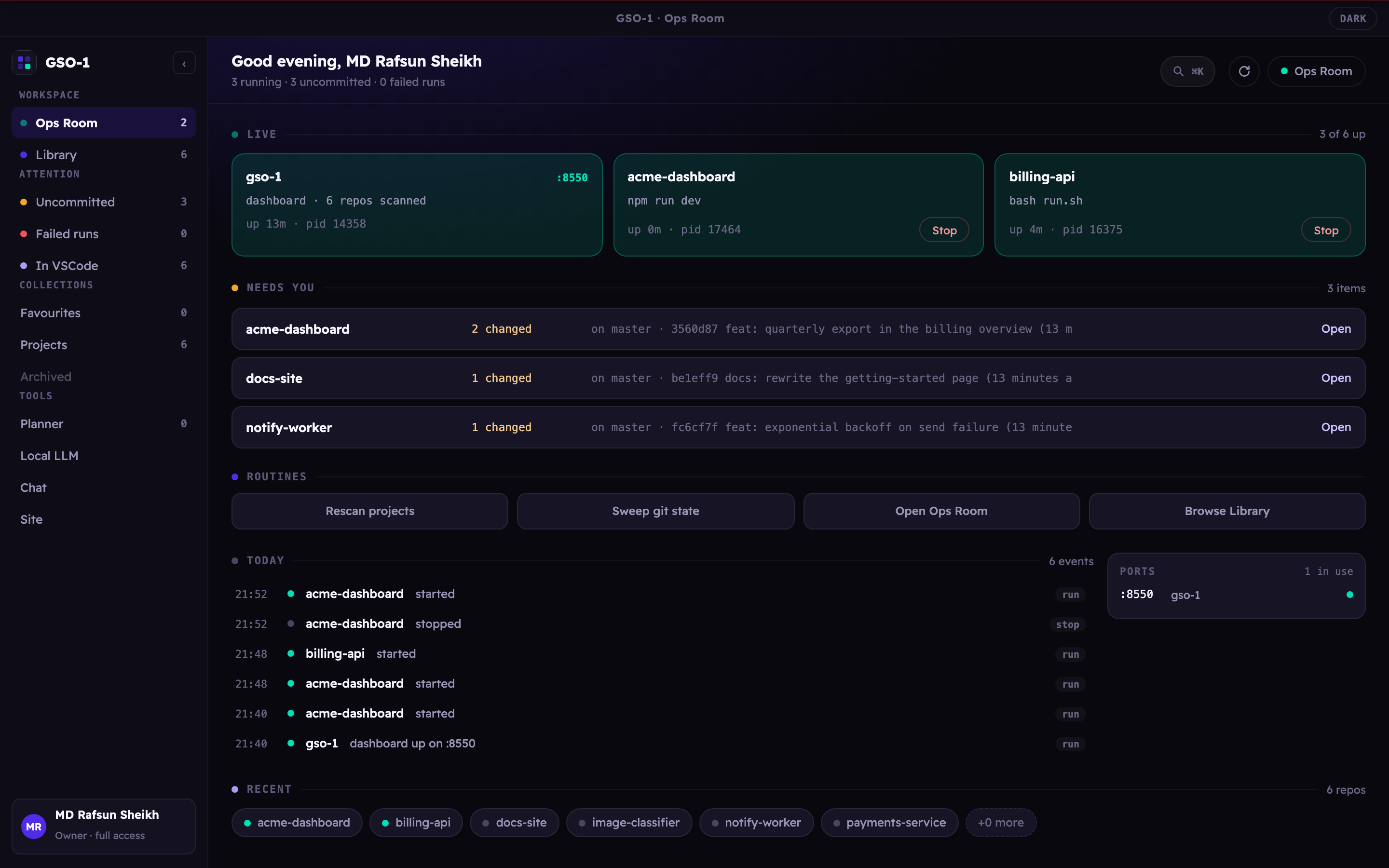
He works from the Ops Room, the nerve centre where the maps, the traces, the unit locations, the strengths and the intelligence are displayed and kept up to date. It is where the commander is briefed, and where decisions get made, because it is the one place the whole situation can actually be seen.
You decide what gets built and what ships. You should not also be remembering which of thirty services is currently up.
→ GOC · your garrisonFinds every project, works out how each one starts, watches its health, and keeps the git picture current. Quietly.
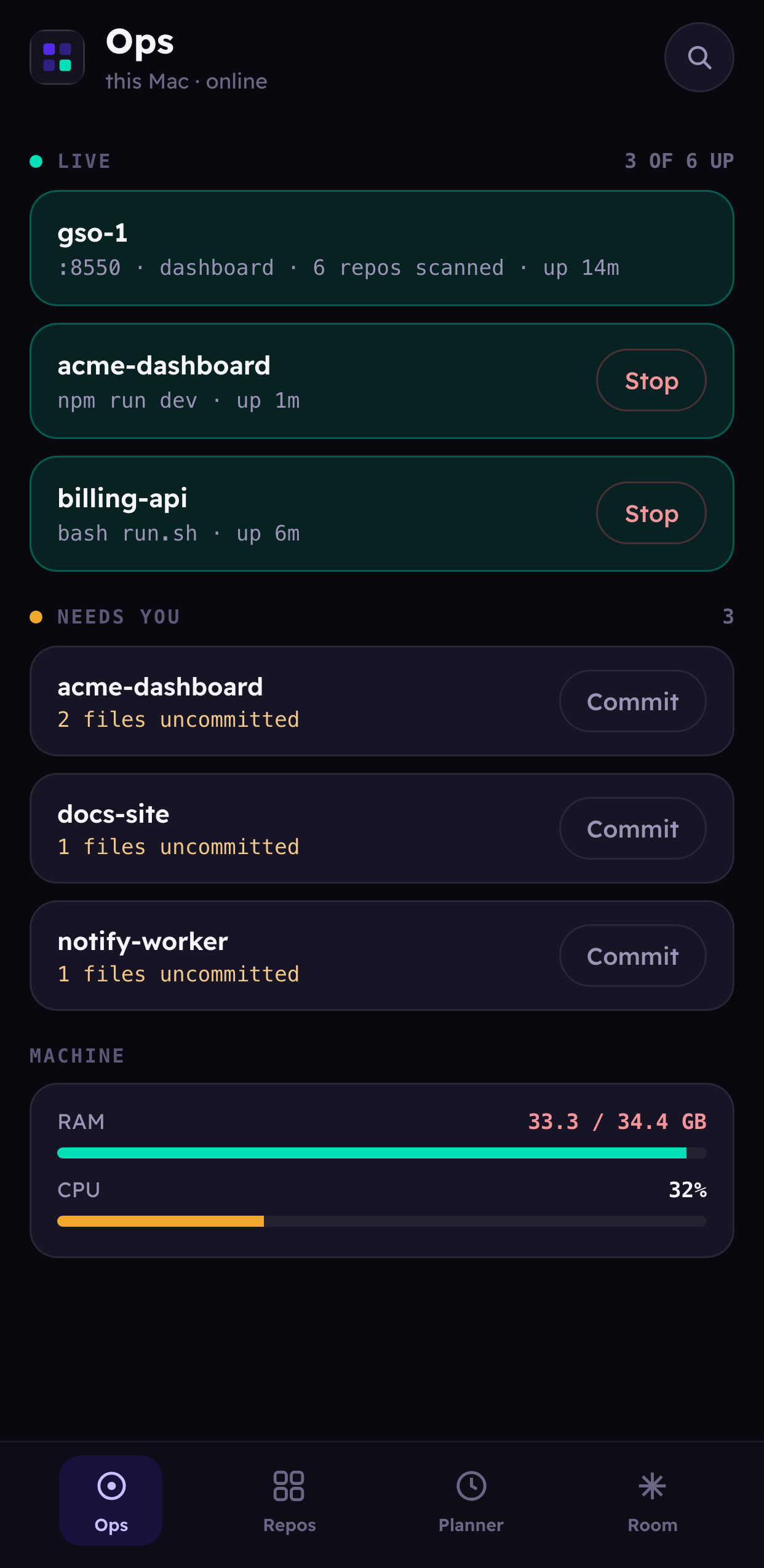
→ the staff officerOne screen holding the whole situation: what is live, what is dirty, what crashed, what is holding a port.
→ where you decideThe old British staff manuals are unusually clear about this, and it turns out to be a decent product specification.
npm run dev from memory again.
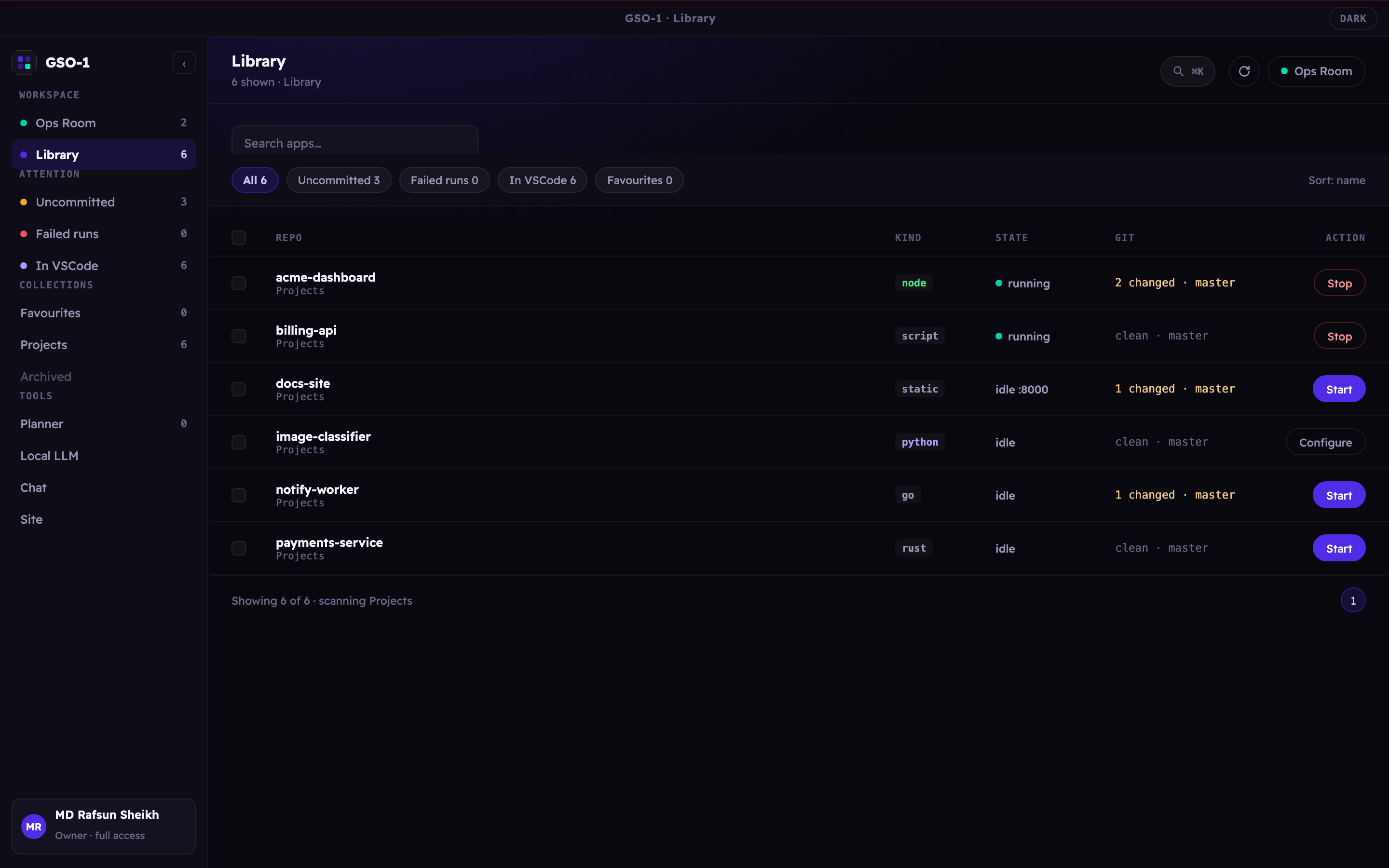
Detects the run command for Node, Django, FastAPI, Flask, Streamlit, Rust, Go, static
sites and plain Python: and always defers to a project's own run.sh or
Makefile.
Healthy, starting, crashed or stopped, from process tracking plus a port probe, not from hope.
Finds what is already holding the port before you launch, instead of after the stack trace.
Branch, dirty count, ahead/behind and last commit across every repo, with fast-forward updates from the dashboard.
Read-only tools run themselves; anything that writes a file or runs a command stops for an explicit approval.
Project folders, Telegram, your local model and phone access are all set from a Settings screen inside the app. Environment variables still win, and show as read-only when they do.
A built-in Anthropic→llama proxy points an agent session at your local
llama-server. How the Ops Room works →
Version 0.3 rebuilds how GSO-1 looks, and how much of your machine it uses while you are not touching it. Near black surfaces, hairline edges instead of drop shadows, one cool indigo, and the only loud colours left are the ones that mean something: green for running, amber for needs you, red for failed. A tool whose job is to tell you which of three hundred projects is unhealthy only works if those three colours are the loudest things on screen.
0.3 is in testing. The Install button still gives you the current release; what follows is what the next one does, and what it measures.
⌘K reaches every screen, every project and the handful of actions worth a keystroke.
It matches on the letters in order, so aapi finds
aurora-api.
Compact, default or comfortable. At three hundred projects the compact setting is a third less scrolling than before, and nineteen rows fit on a screen where eleven did.
The back button works, and a screen can be linked to. The app also opens where you left off.
Both themes come from one definition, so neither is an afterthought. Every pair of text and background in the app is measured against the readability standard rather than eyeballed.
It is also much cheaper to leave open. Measured on a machine with three hundred projects, sitting idle with the window in front:
It was 547 KB. Nothing was compressed, nothing ever said "this has not changed", and the five questions the page asked every eight seconds are now one.
It was 261 KB, sent raw.
Closing the 3D world used to leave 57 MB of scene, textures and graphics memory held until you quit the app.
127 buttons and tick boxes were smaller than anyone can reliably hit, including Stop and Delete. None are now.
Your email and chats in one inbox, inside GSO-1. Gmail, iMessage and SMS, Telegram and WhatsApp land in the same list, already sorted by a model running on your Mac: what needs a reply, what is important, what can wait. Open a conversation and it drafts an answer in your own style, in the language you were writing in. Nothing is sent until you press Send.
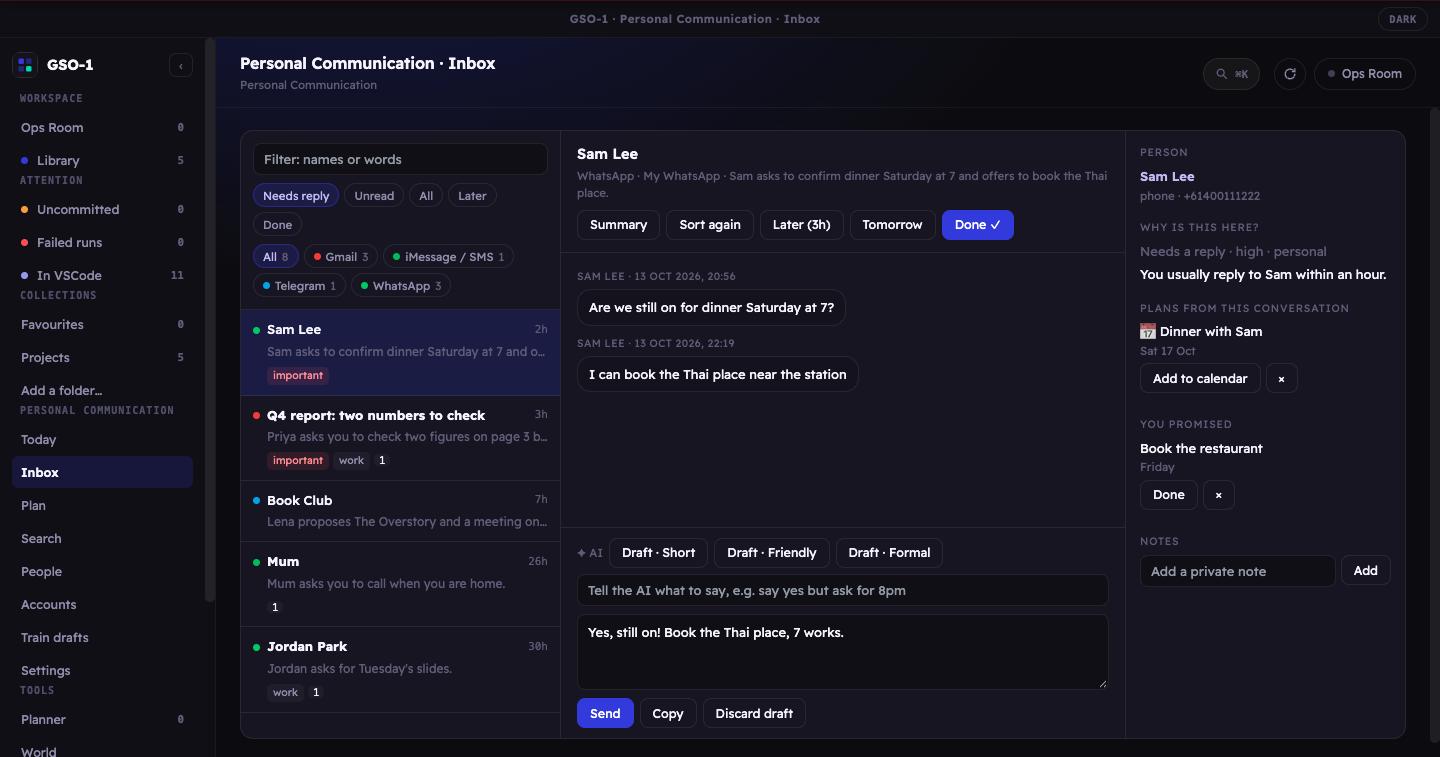
Every app in one list, with Needs reply, Unread, Later and Done. Reply to one message, react with an emoji, search everything you were ever sent.
It learns from what you send and what you change. You can also train a model on your own past replies, on your Mac, and use it for drafts.
A morning brief, events and to-dos found in messages, the promises you made, and a notification only for what matters, never in quiet hours.
Messages, photos and the model all stay on your machine. It has its own lock, nightly encrypted backups, and it never sends anything on its own.
GSO-1 Pro Part of GSO-1 Pro, for macOS on Apple Silicon. WhatsApp support uses an unofficial connection that WhatsApp's terms do not allow; linking it is your choice.
GSO-1 knows which repositories you have, and which agents are working in them. The World is that, as a place. Every project with a Claude session becomes a settlement in a valley, and the figure standing in it is the agent: swinging while it edits, walking between jobs, standing idle when the session goes quiet.
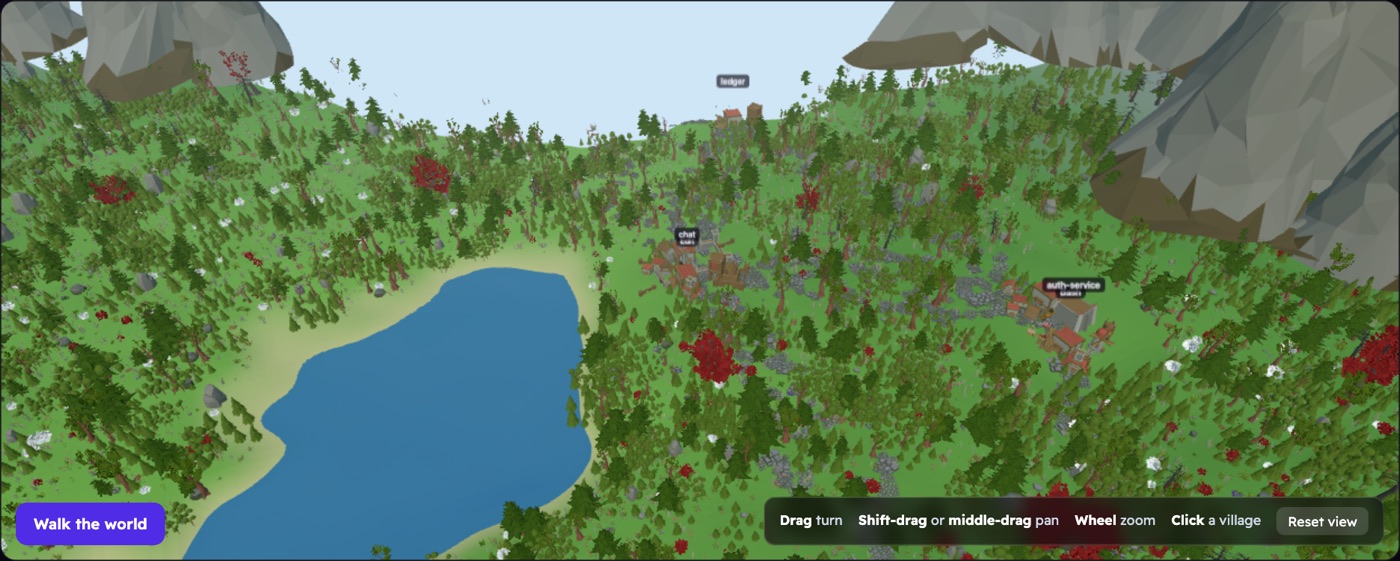
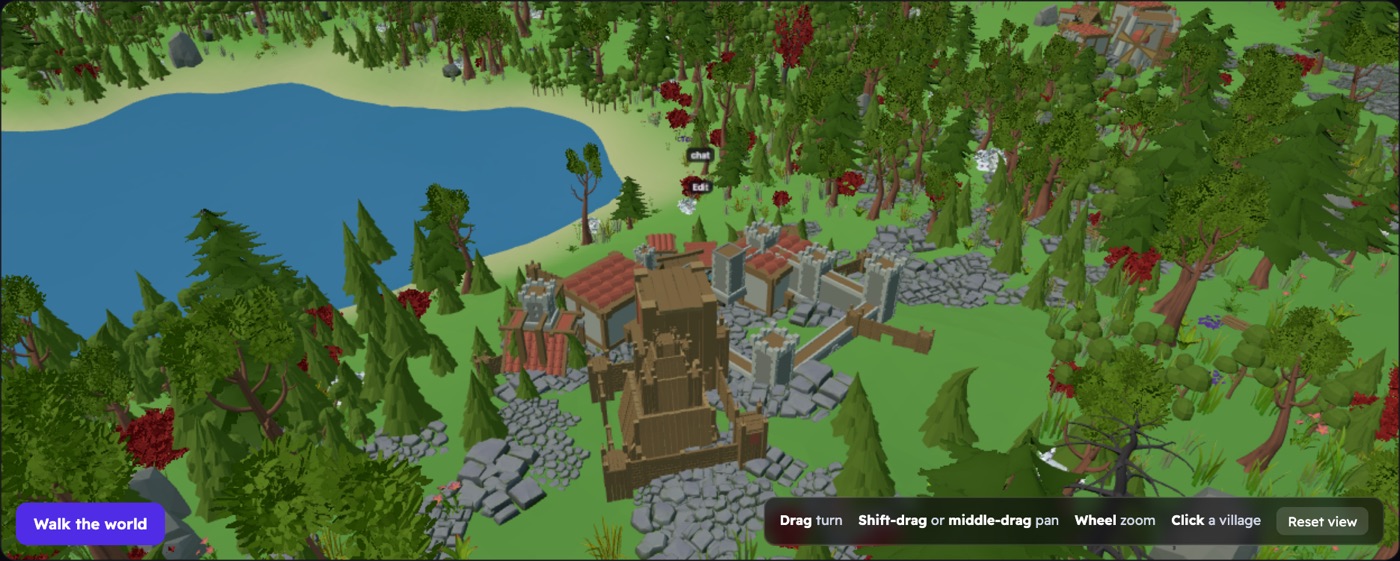
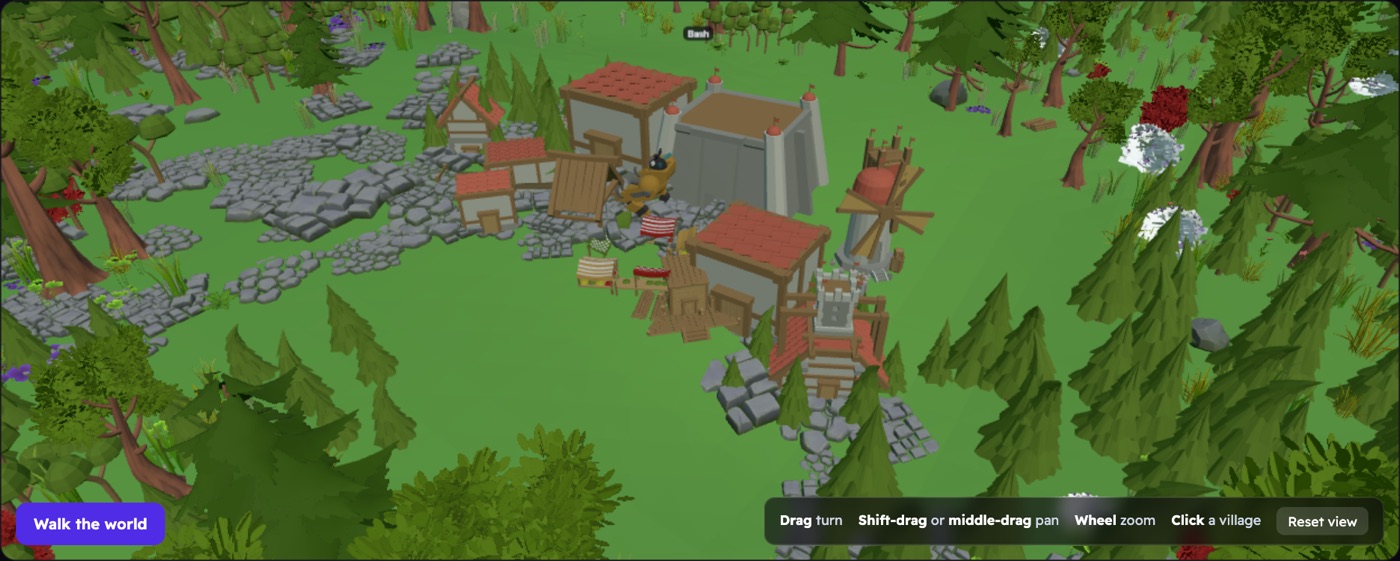
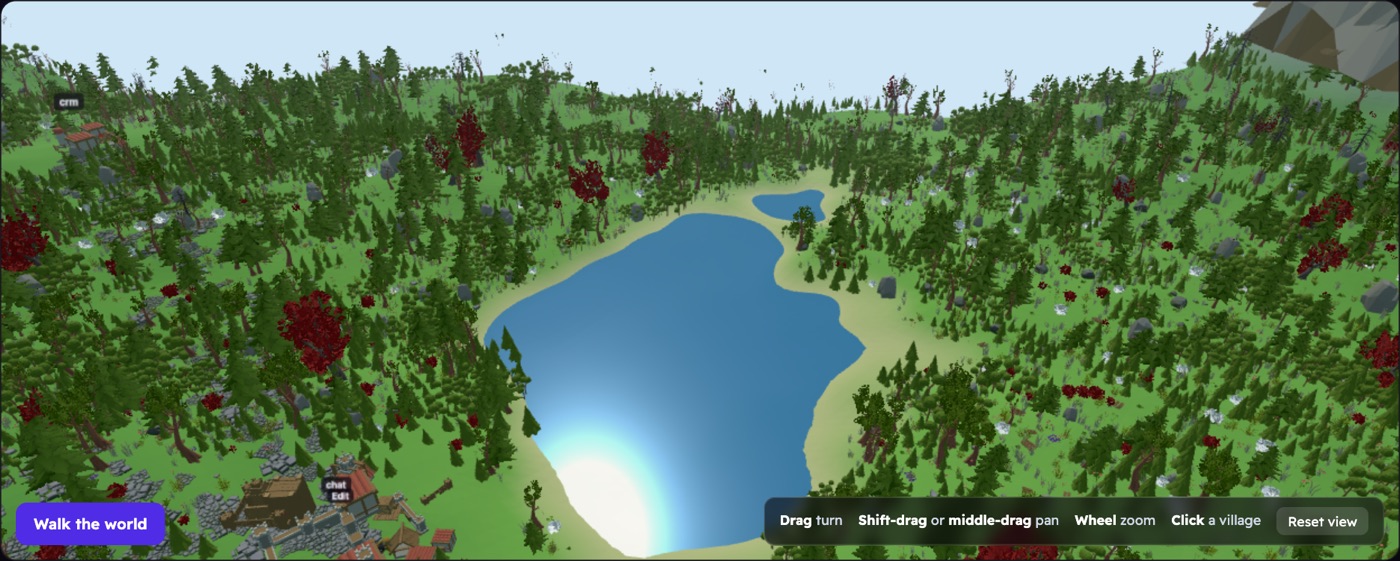
It is built from what GSO-1 already knows, so nothing here is decoration. The stack decides the colours, the transcripts decide the scale, and the tool an agent is running right now decides what it is doing on screen. Scenery is Quaternius' CC0 kits.
In development Not in a release yet. It lives
on main if you build from source.
| Platform | Download v0.1.7 |
|---|---|
| macOS (Apple Silicon) |
GSO-1-0.1.7-arm64.dmg |
| macOS (Intel) |
GSO-1-0.1.7.dmg |
| Windows |
GSO-1.Setup.0.1.7.exe |
| Linux |
.AppImage ·
.deb |
Checksums for every file are in
SHA256SUMS.txt.
Older versions are on the releases page.
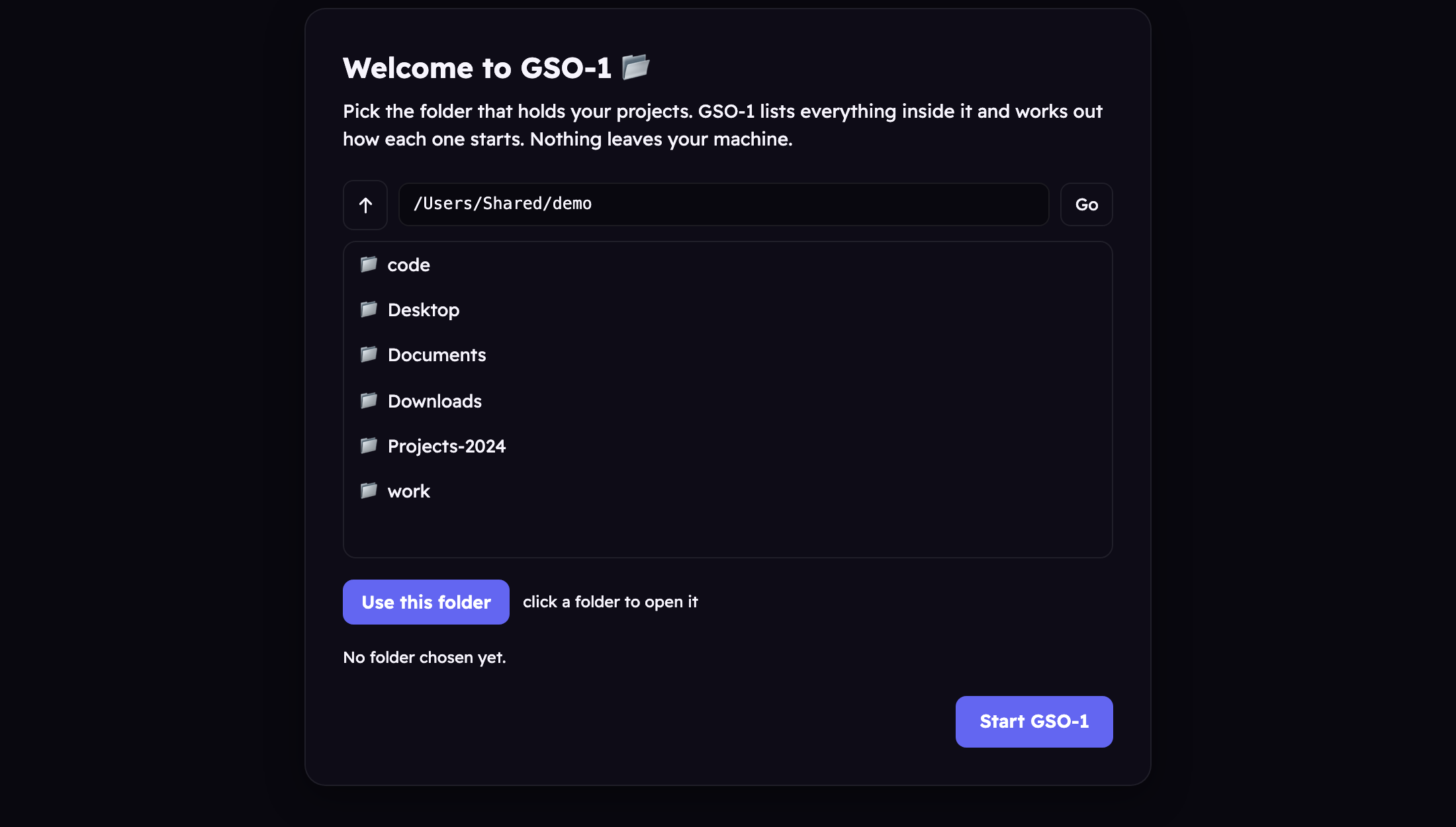
On first run GSO-1 asks which folder holds your projects. That is the whole setup, no Python, no terminal, no config file.
GSO-1 is signed ad-hoc rather than with a paid Apple Developer ID, so macOS blocks the first launch with "Apple could not verify GSO-1 is free of malware". Right-click and Open no longer works on these versions, and that dialog only offers Done and Move to Bin. Instead:
It only happens once. On Windows, SmartScreen needs "More info" then "Run anyway".
# requires Python 3.11+
git clone https://github.com/rafsunsheikh/gso-1.git
cd gso-1
cp .env.example .env
./run.sh
GSO-1 starts processes and runs commands as you. That is the feature, and it is also the threat model.
Loopback only by default, unreachable from your network. Remote access is refused outright unless you set a token, and agent writes and commands require explicit approval. Full detail in the security policy.